 Parro Client
Desktop app
A window for Windows, macOS and Linux: announcements, calendar, chats, family and an offline archive. Light and dark, like your system.
Unofficial · not affiliated with Topicus, ParnasSys or Parro
Read announcements, newsletters (also the text inside PDFs), the calendar and chats, and see what you have not read yet. In a desktop app, in the terminal, or by asking Claude. It changes something in Parro only when you ask.

Version 0.13.0. What is new
Python and Qt are inside: nothing else to install. The installers are not signed yet, so Windows and macOS ask once whether you trust them. The install guide says what to click, and how to check a download.
A window for Windows, macOS and Linux: announcements, calendar, chats, family and an offline archive. Light and dark, like your system.

With Python 3.10 or newer:
pipx install parro-api-clientAsk “Do I need to do anything for school in the coming weeks?” and Claude reads Parro for you. With the package installed, in Claude Code:
claude mcp add parro -s user -- parro-client-mcpTools that change something are off unless you switch them on.
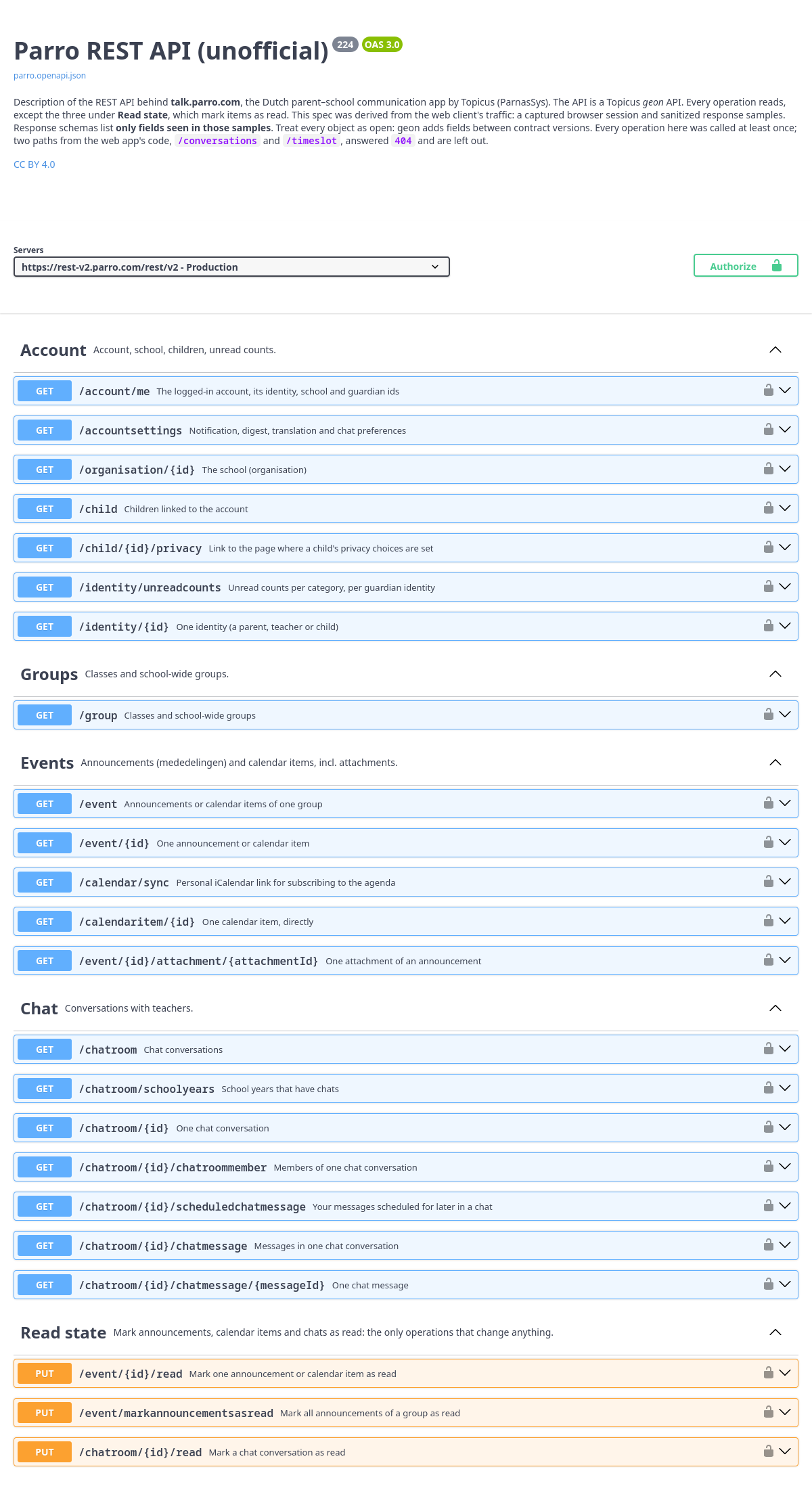
An OpenAPI description of the Parro REST API as the web app uses it: login, account, groups, announcements, the calendar and chats, with what was observed about each call. Browse it in Swagger UI, or take the JSON for your own client.